Make Break Make
현대카드 앱을 처음부터 다시 만들었습니다. 물리 카드는 이미 3세대를 넘어섰지만 디지털 경험은 그 속도를 따라가지 못하고 있었습니다. Simple, Bold, Witty — 세 개의 원칙으로 앱을 재정의했습니다. We rebuilt the Hyundaicard app from scratch. The physical card was already in its third generation, but the digital experience hadn't kept pace. Simple, Bold, Witty — three principles to redefine the app.
Overview
"현대카드는 물리 카드를 3세대까지 업데이트했지만, 디지털 카드는 그 속도로 발전하지 못했습니다."
"Hyundaicard updated the physical card plate to the 3rd version, but the digital experience hadn't developed as fast as it was supposed to."
Project brief
현대카드 앱은 가장 많이 쓰는 상위 20% 기능을 가장 쉽게 사용할 수 있도록 설계되었습니다. 그리고 사용자들이 모바일로 모든 것을 해결하기를 원하는 만큼, 앱은 끊임없이 진화해야 했습니다 — PC보다 모바일을 더 많이 쓰는 시대이므로. The Hyundaicard app aimed for the easiest mobile usage for the top 20% of functions. And because users want to do everything on mobile — using mobile more than PC — the app had to evolve constantly.
팀 리더로서 디자인 방향성을 정의하고, 원칙을 세우고, 팀원들과 함께 실행했습니다. Perpetual β — 베타는 끝나지 않습니다. 더 나은 경험을 향한 반복은 계속됩니다. As team leader, I defined the design direction, established principles, and executed alongside the team. Perpetual β — the beta never ends. Iteration toward a better experience continues.
Design Principle 01
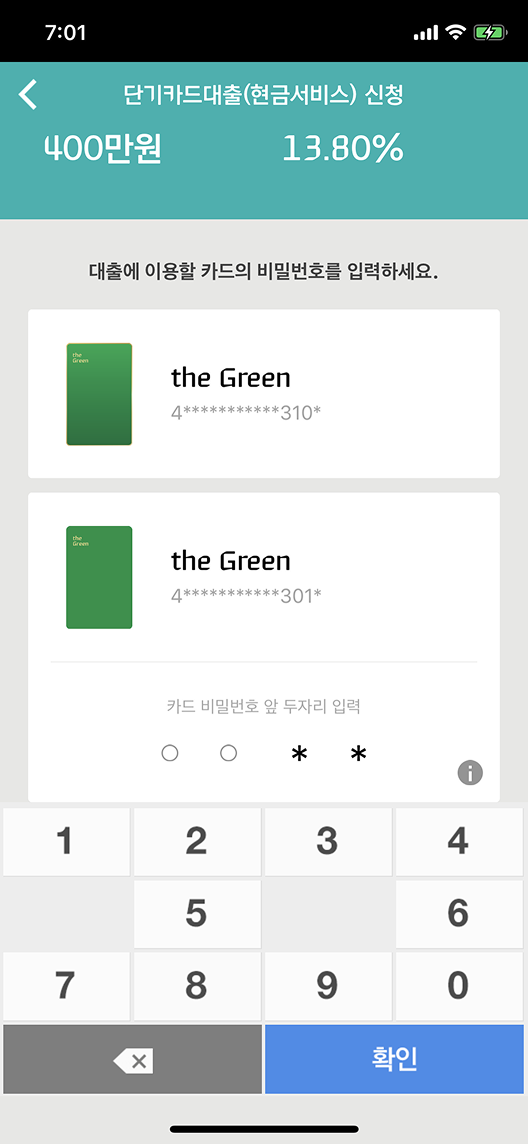
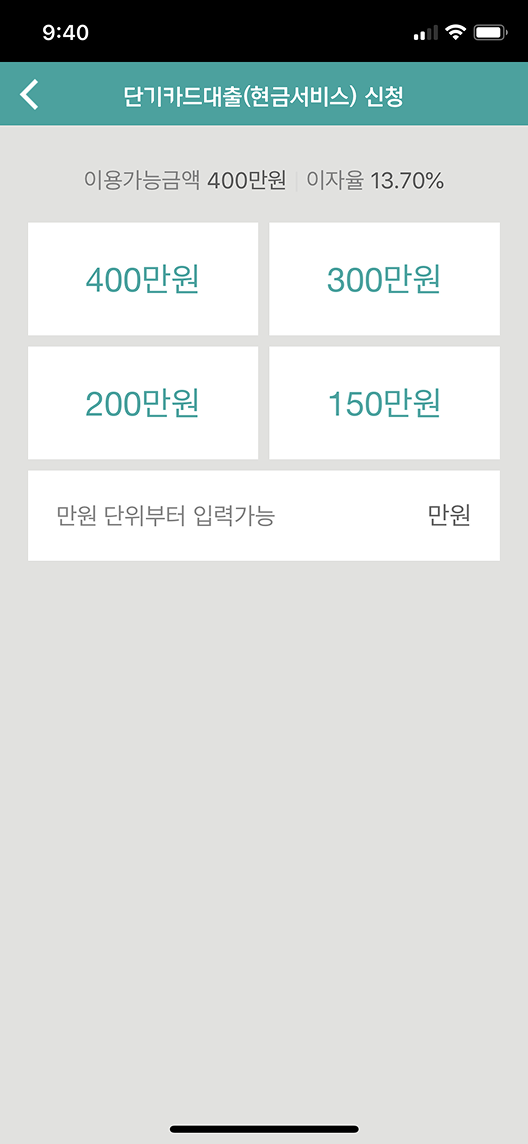
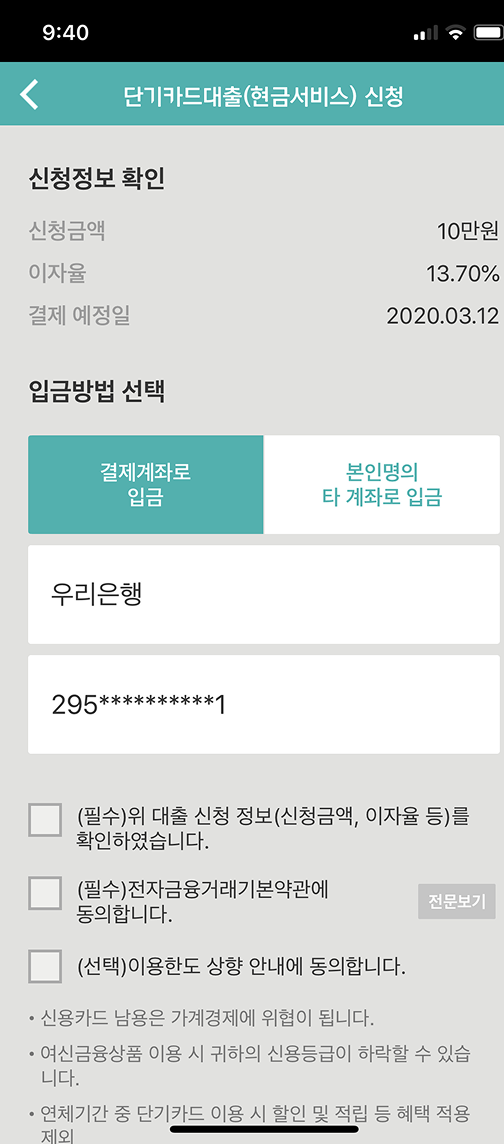
One step at one time. 한 번에 한 가지만, 앞에서 입력한 정보는 다시 쓴다. One step at one time. Do one thing at once, and reuse information users have already entered.
Simple · Principles
Simple · 01
One step at One time One step at One time
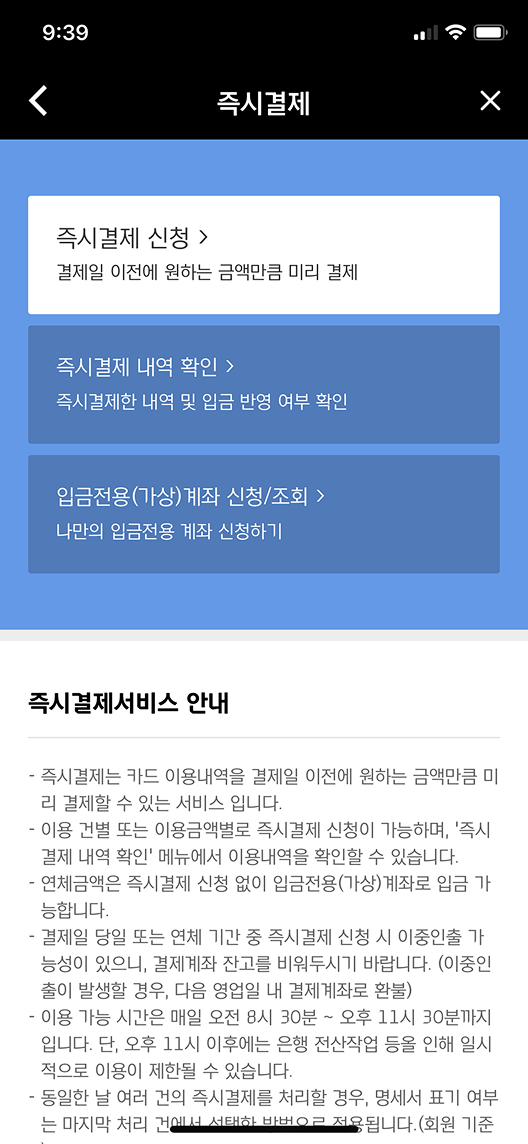
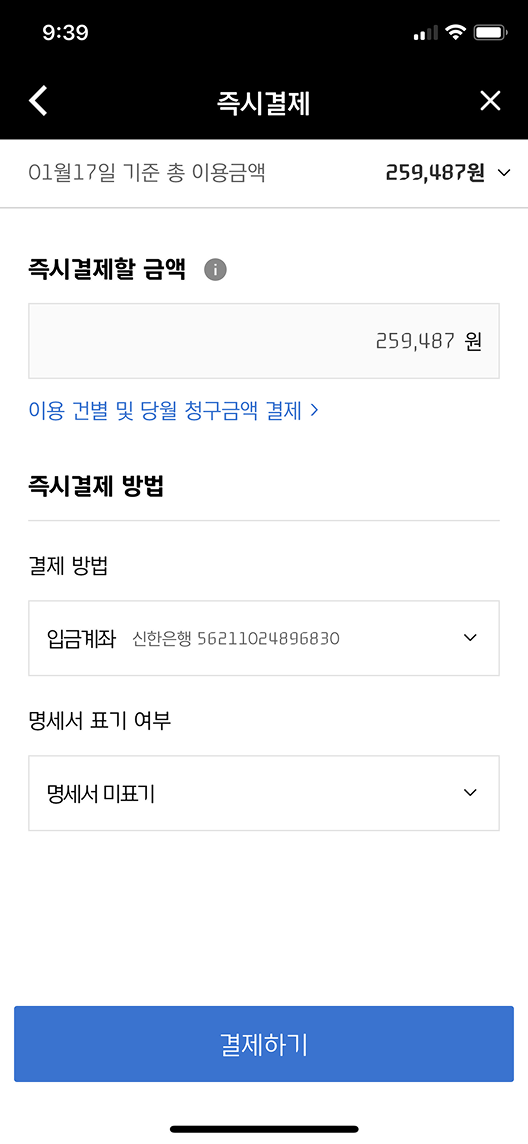
한 화면에 너무 많은 정보와 선택이 있으면 사용자는 멈춥니다. 각 단계에서 사용자에게 요구하는 것을 하나로 줄이고, 이전 단계에서 입력한 정보는 다시 입력하지 않아도 됩니다. 흐름이 명확해지면 사용자는 생각하지 않고 다음 단계로 넘어갑니다. Too much information and too many choices on one screen stops users cold. We reduced each step to a single ask, and reused information entered in previous steps. When the flow is clear, users move to the next step without thinking.
단계별 진행 → 완료율 향상 Step-by-step flow → Higher completion rate
Simple · 02
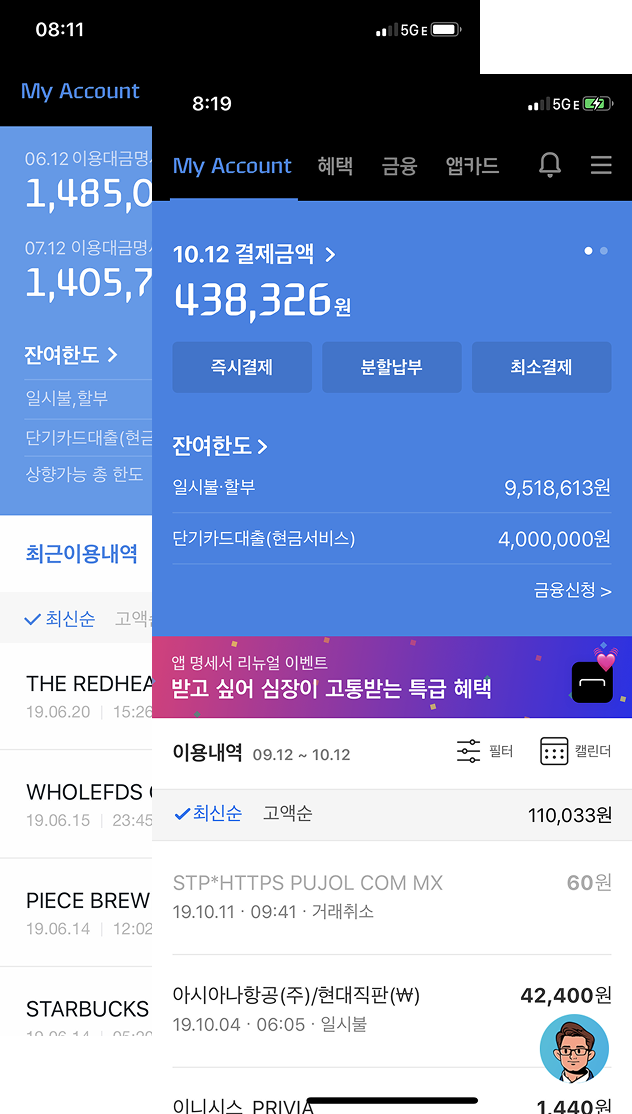
Intuitive color and big buttons Intuitive color and big buttons
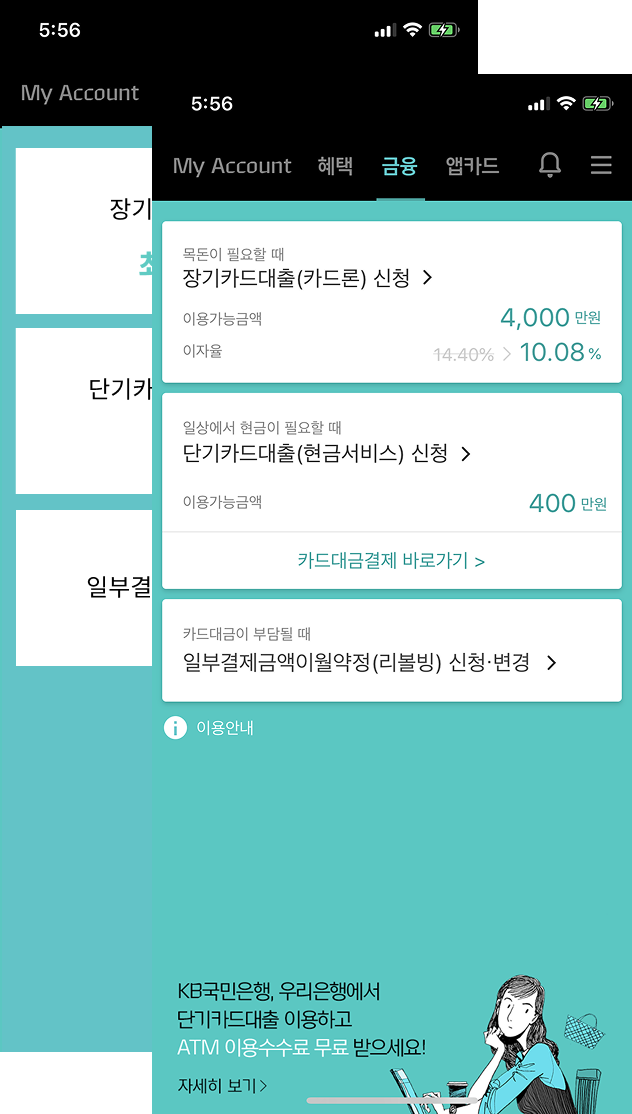
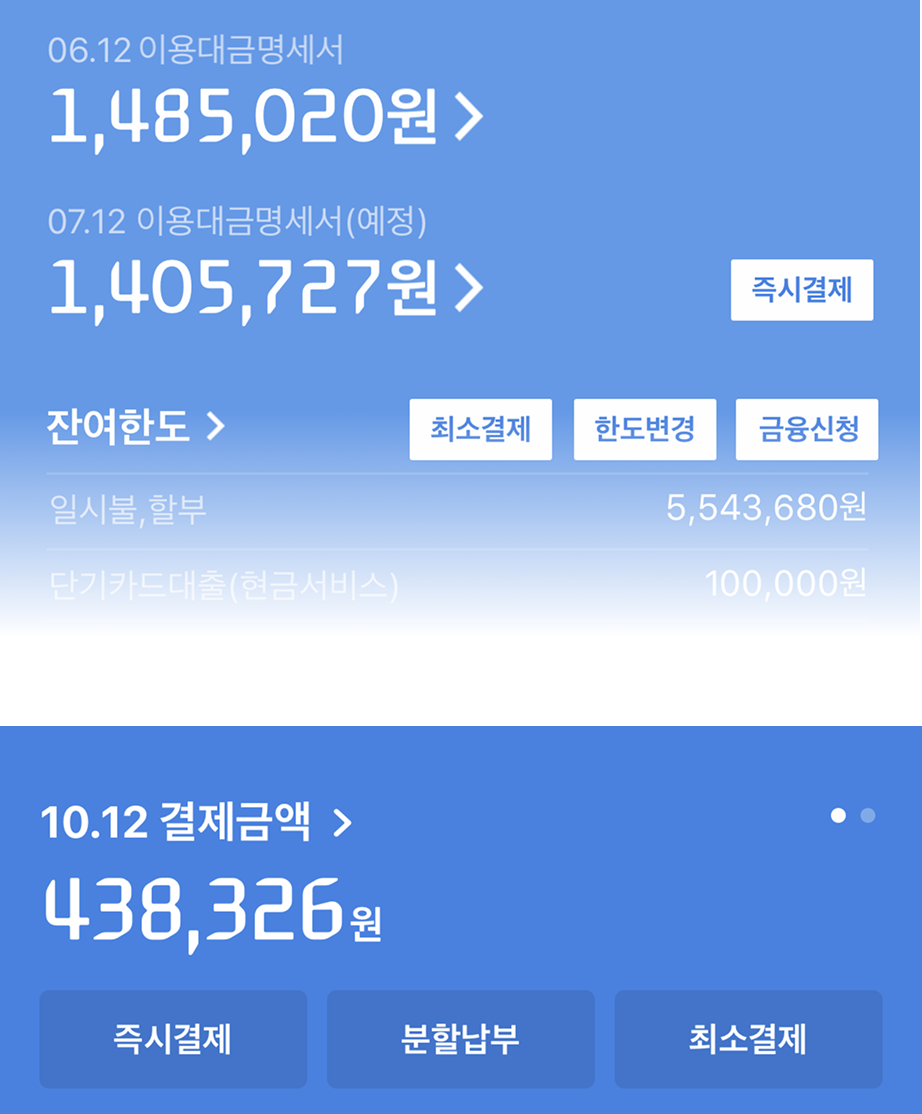
이번 달 결제 예정 금액에만 집중할 수 있도록 다음 달 결제와 분리했습니다. 가장 자주 쓰는 기능은 더 크게 만들어 터치하기 쉽게 했습니다. 중요한 숫자와 정보는 색상으로 구분해 스캔에 최적화했습니다. We separated this month's payment from the next month's to allow focus. The most frequently used elements became bigger for easier touch. Key numbers and information were differentiated by color for scan optimization.
사용 빈도 기반 레이아웃 우선순위 Layout priority based on usage frequency
Simple · 03
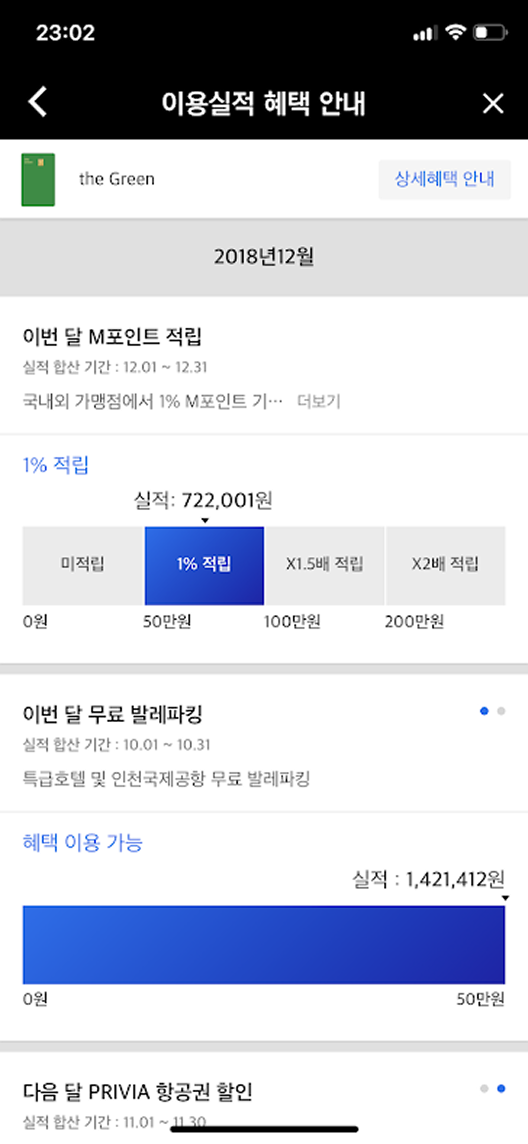
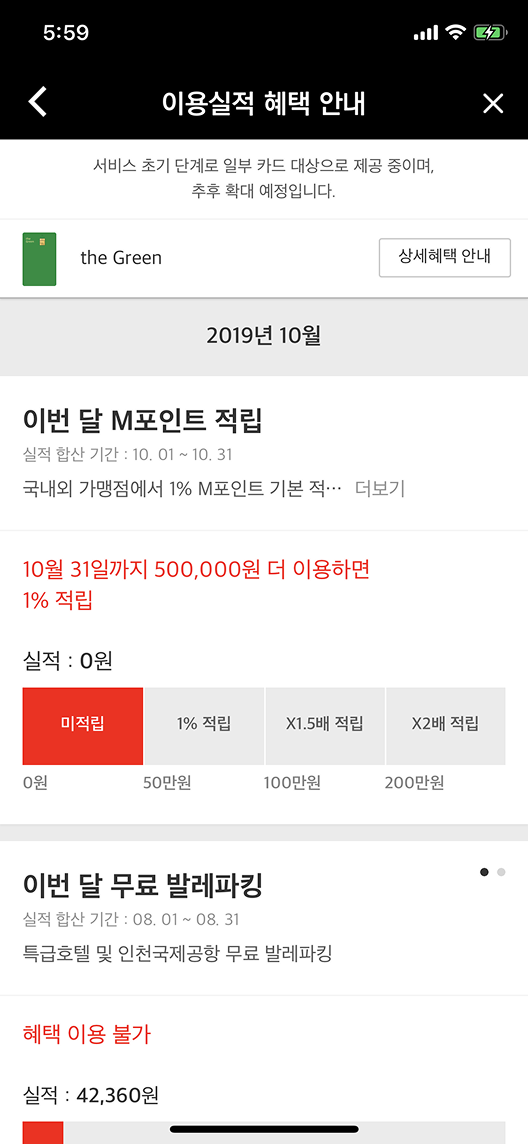
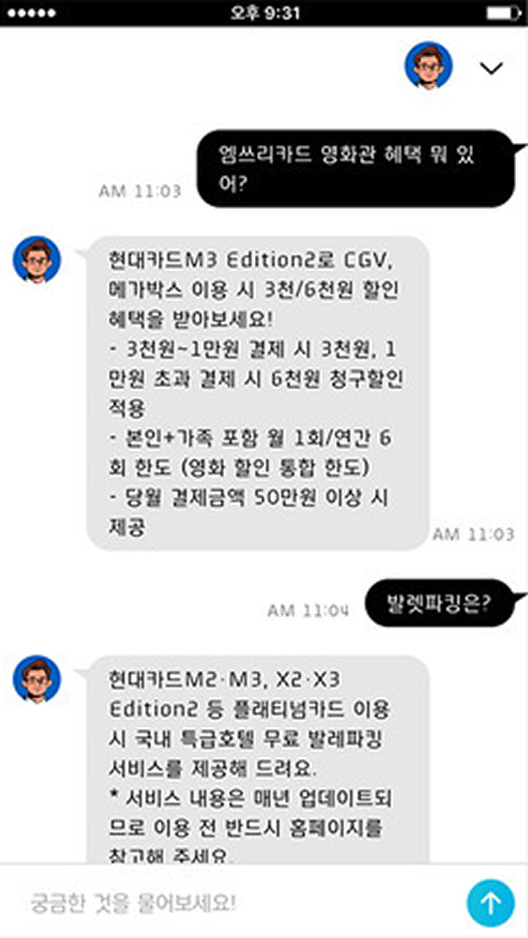
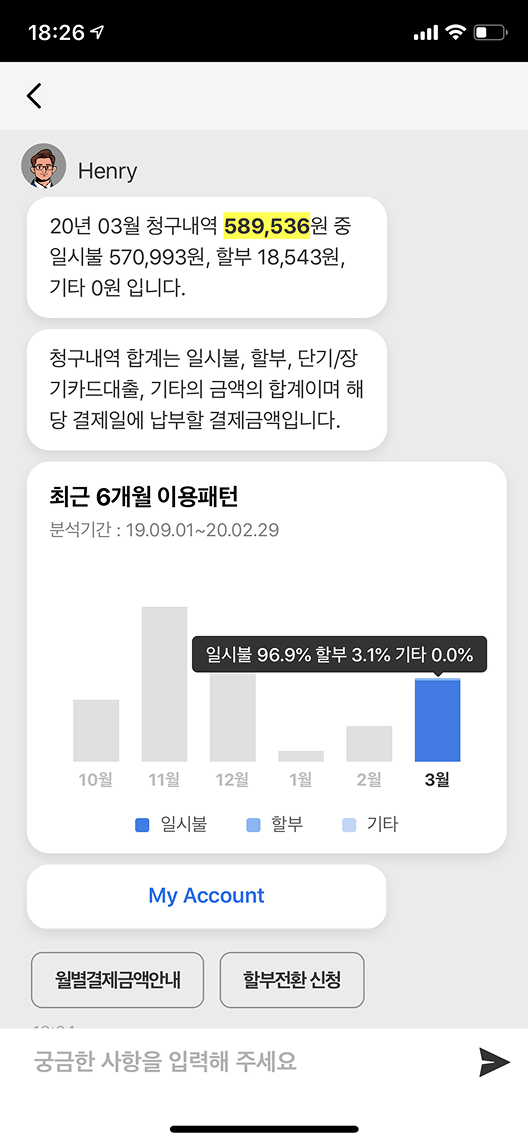
At a glance benefit check At a glance benefit check
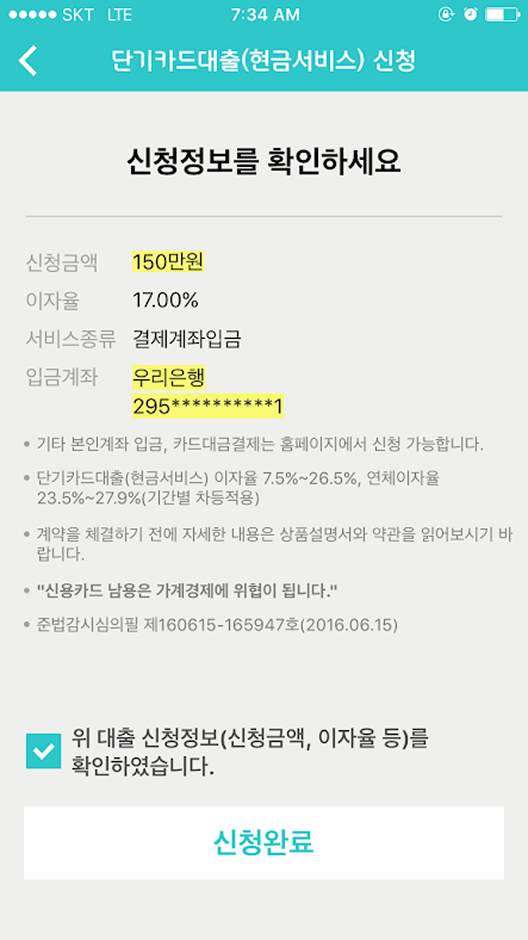
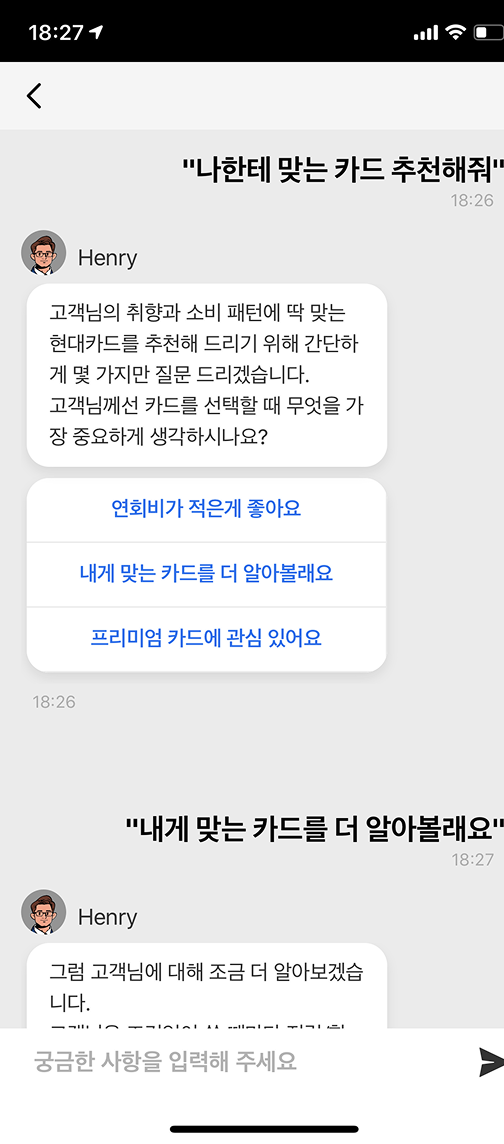
소비 데이터를 기반으로 어떤 혜택이 가능한지 한눈에 확인. 중요한 정보를 하이라이팅해 스캔 속도를 높였습니다. 베타 서비스에서 배운 것: 자연어 문장보다 버튼, 복수 선택 같은 더 쉬운 옵션이 완료율을 높입니다. View available benefits at a glance based on spending data. Highlighting important information speeds scanning. Lesson from beta: easier options like buttons and multiple choice outperform natural language lines for completion rates.
베타 테스트 → 인터랙션 패턴 개선 Beta test → Interaction pattern improvement
Design Principle 02
색상 체계, 레이아웃, 타이포그래피 — 현대카드다운 강렬함을 디지털로. Color scheme, layout, typography — translating Hyundaicard's boldness into digital.
Bold · Color Scheme
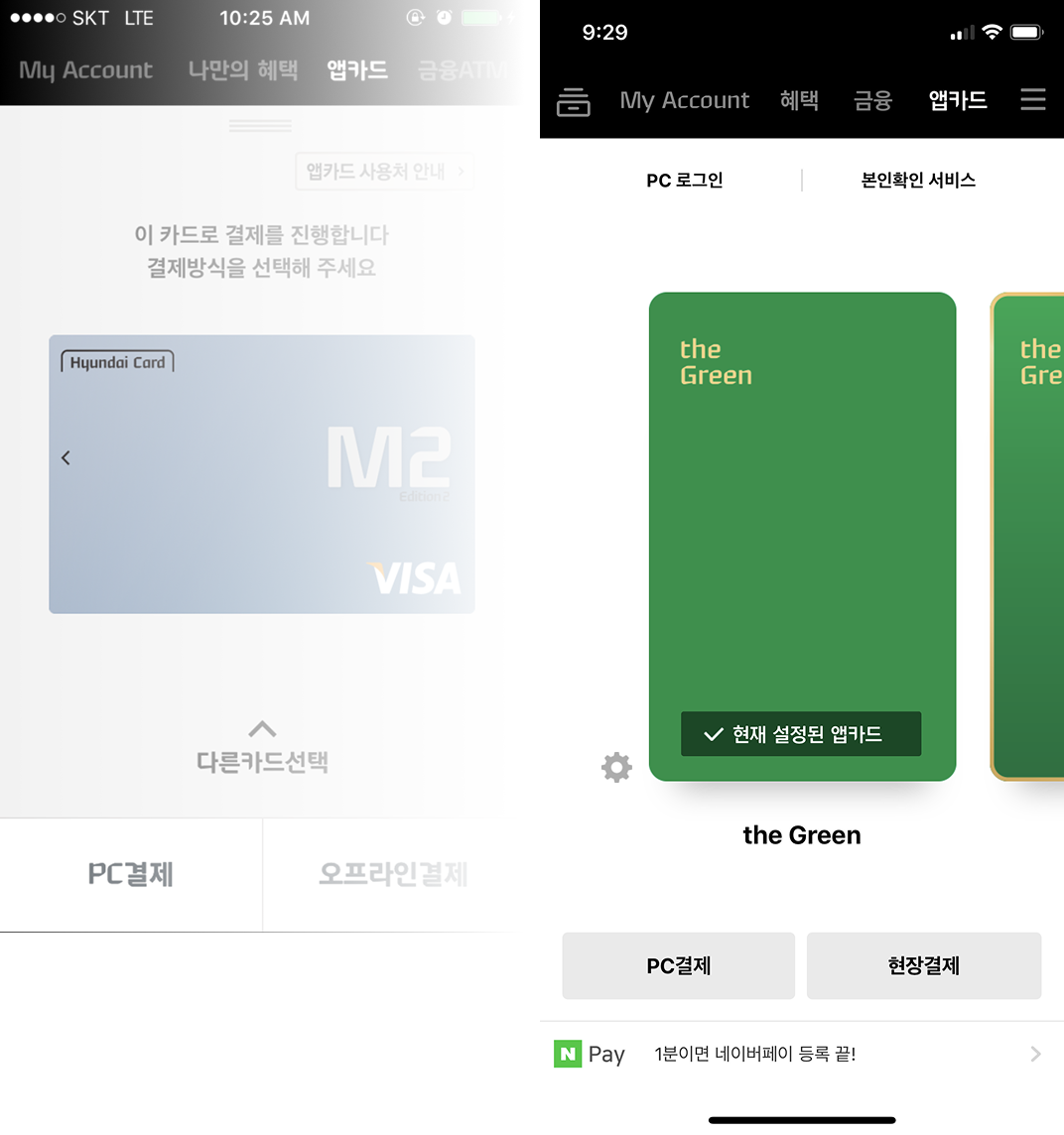
My Account, Finance, Point — 각 섹션이 고유한 색상 아이덴티티를 갖도록 설계했습니다. 사용자는 색상만 봐도 자신이 어느 영역에 있는지 즉각 인식합니다. My Account, Finance, Point — each section was designed with its own color identity. Users instantly know which area they're in just from the color.
My Account
Finance
Point color: M·X
My Account
이번 달 결제 예정, 이용 내역, 포인트 현황. 가장 자주 여는 화면을 가장 빠르게 스캔할 수 있도록 대형 숫자와 직관적인 색상을 사용했습니다. Upcoming payment, usage history, point status. Large numbers and intuitive color enable the most-opened screen to be scanned fastest.
Finance
소비 패턴 분석, 혜택 확인, 금융 상품 추천. 데이터 기반 인사이트를 간결하게 시각화했습니다. Spending pattern analysis, benefit confirmation, financial product recommendations. Data-driven insights visualized concisely.
Lock & Limit
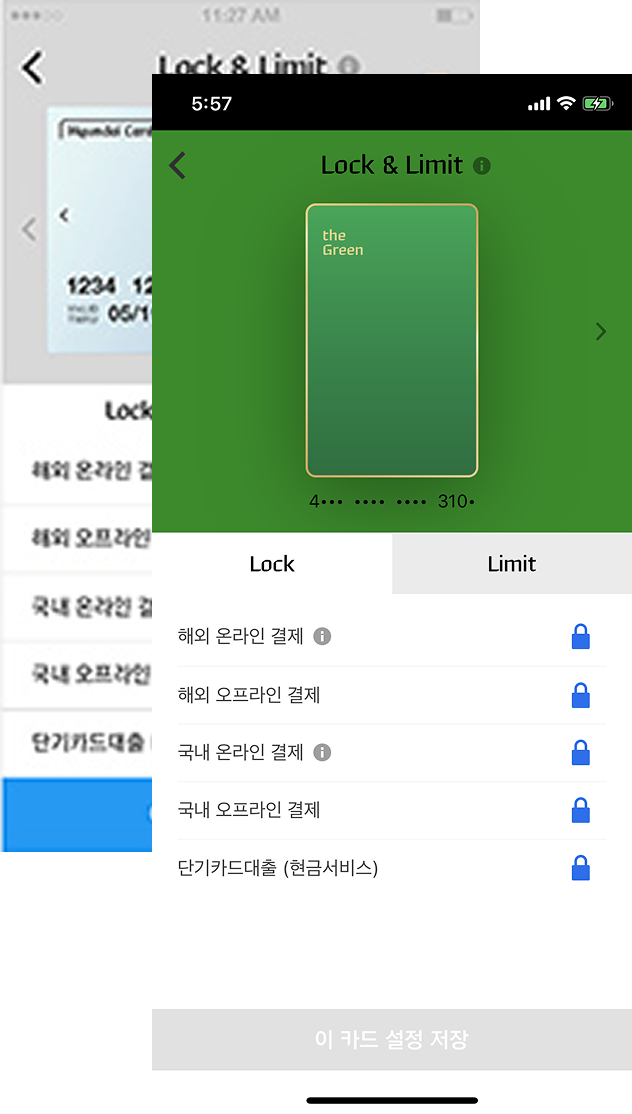
카드 잠금, 한도 설정, 해외 사용 설정. 민감한 기능이지만 사용 빈도를 고려해 접근성을 높였습니다. Card lock, limit settings, overseas usage. Sensitive functions, but access was improved given usage frequency.
Bold · Layout
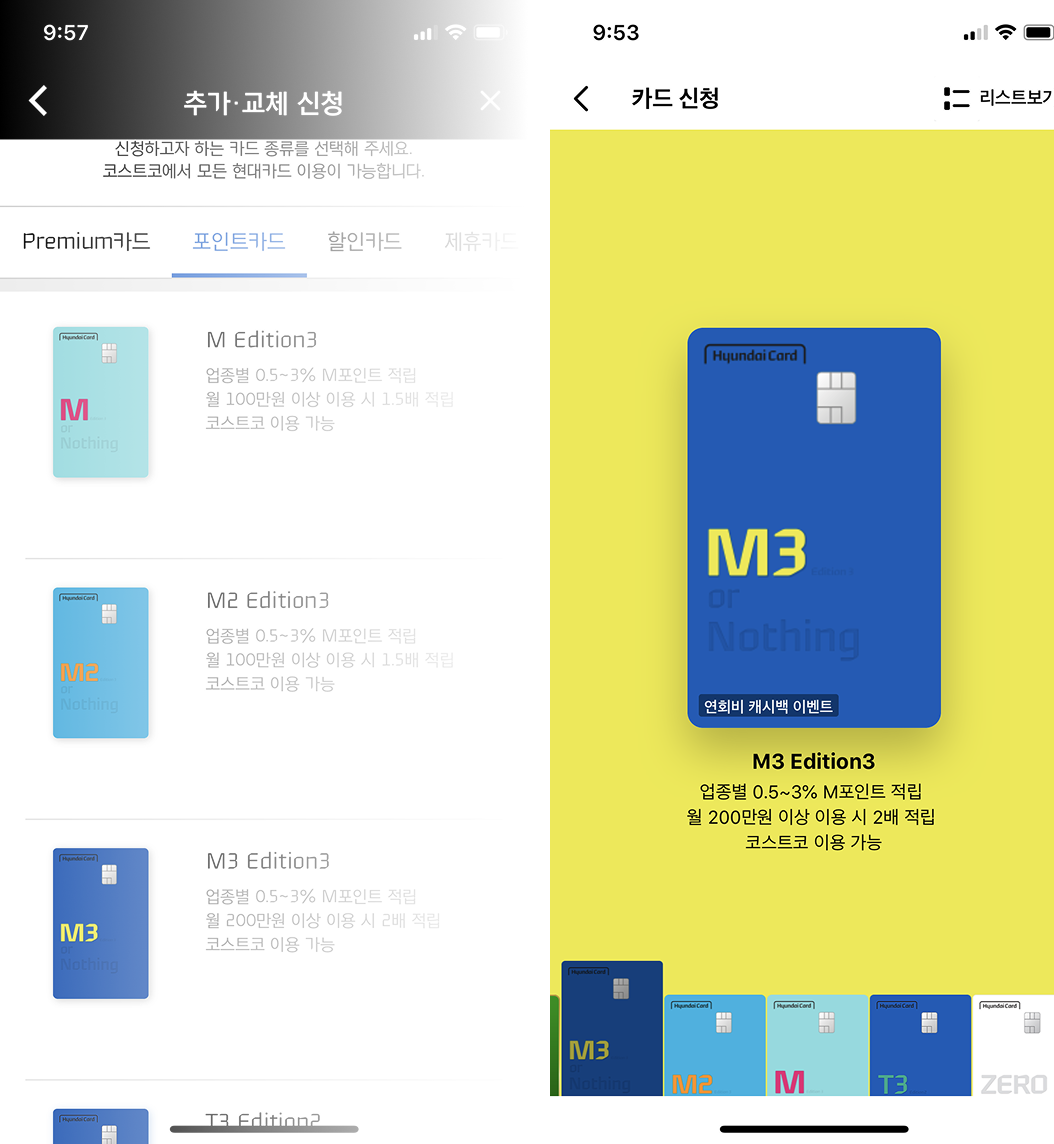
M3 카드가 가진 대담한 타이포그래피, 강렬한 여백, 선명한 대비를 디지털 화면으로 옮겼습니다. 물리 카드의 시각 언어가 앱 안에서 살아납니다. The bold typography, deliberate whitespace, and sharp contrast of the M3 card were translated into the digital screen. The physical card's visual language comes alive inside the app.
Design Principle 03
브랜드 목소리를 하나로. 문장에서 버튼으로, 서술에서 대화로. One brand voice. From sentences to buttons, from narration to conversation.
Witty · Message
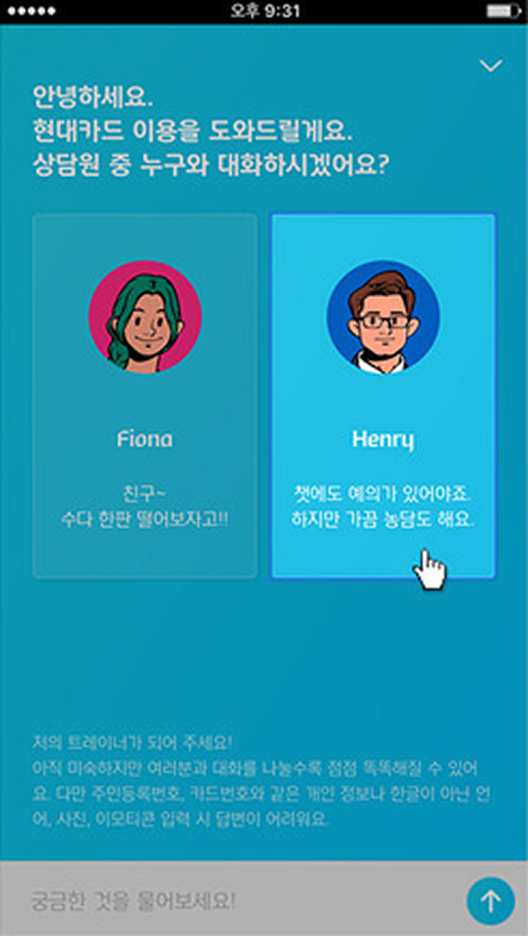
각 화면마다 제각기였던 말투와 문체를 하나의 브랜드 언어로 통합했습니다. 긴 안내 문장은 짧고 대화적인 표현으로 바꾸고, 자연어 선택지는 버튼으로 바꿔 완료율을 높였습니다. The disparate tone and writing style across screens was unified into one brand voice. Long instructional sentences became short and conversational, and natural language choices became buttons — improving completion rates.
Before
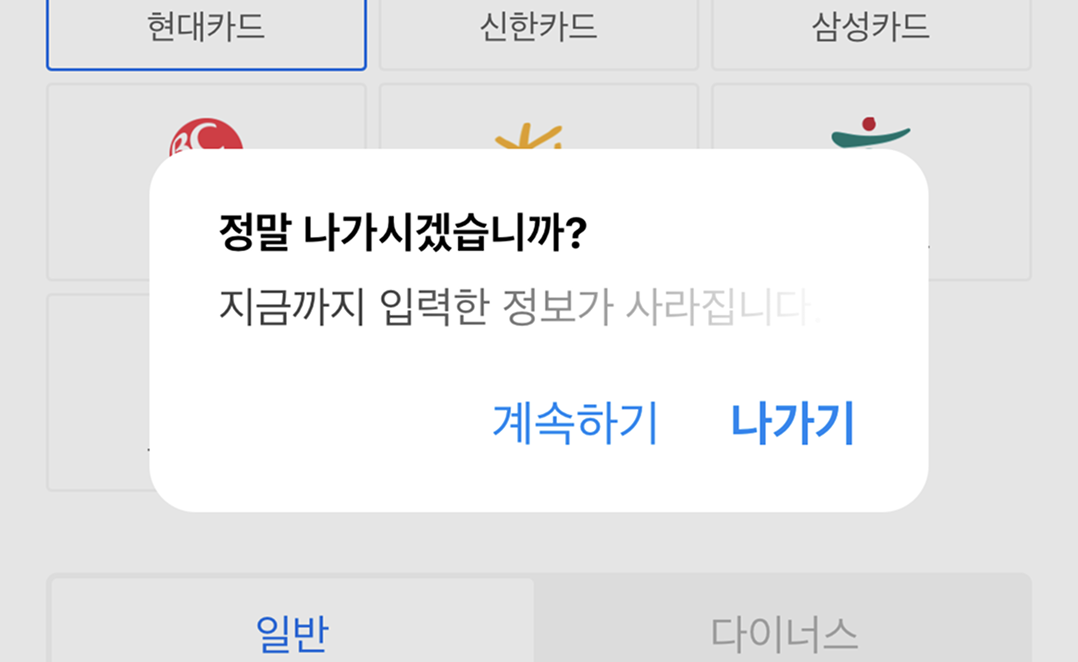
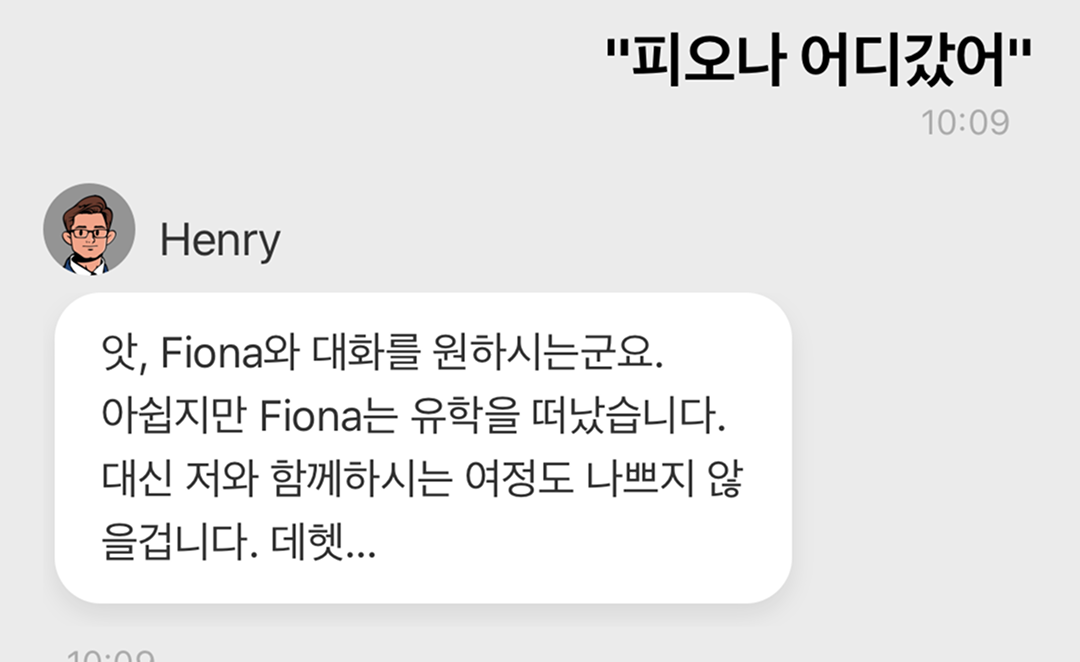
자연어로 늘어쓴 긴 문장. 브랜드 페르소나가 없고 채널마다 목소리가 달랐습니다. "안녕하세요 니카드중입니다"처럼 딱딱하고 일관성 없는 메시지. Long sentences written out in natural language. No brand persona, and a different voice on every channel. Stiff, inconsistent messages.
After
짧고 개성 있는 브랜드 언어. 자연어 선택지 대신 버튼으로 전환해 완료율을 높였습니다. "헤이, 어디라구?" — 사용자가 예상하지 못한 방식으로 브랜드 개성을 드러냅니다. Short, distinctive brand language. Buttons instead of natural language choices improve completion. "Hey, where?" — revealing brand personality in unexpected ways.
Beta Service Learning
베타 서비스를 운영하면서 배운 것은 명확했습니다. 사용자들은 긴 안내 문장을 읽지 않습니다. 버튼, 복수 선택, 짧은 레이블이 완료율을 높이고 오류를 줄입니다. UX 라이팅은 문학이 아니라 행동 설계입니다. The beta service taught us something clear. Users don't read long instructional text. Buttons, multiple choice, and short labels improve completion rates and reduce errors. UX writing is not literature — it's behavior design.
Reflection
디지털 제품은 물리 제품과 달리 '완성'이 없습니다. 현대카드 앱을 처음부터 다시 만들면서 가장 크게 배운 것은, 원칙이 있으면 팀이 빠르게 판단할 수 있다는 것이었습니다. Unlike physical products, digital products are never "finished." The biggest lesson from rebuilding the Hyundaicard app from scratch: when principles are clear, the team can make decisions fast.
Simple, Bold, Witty는 단순한 슬로건이 아니었습니다. 팀 리더로서 모든 결정의 기준이 되는 필터였습니다. "이 디자인은 Simple한가? Bold한가? Witty한가?" — 이 세 가지 질문이 수백 가지 세부 결정을 빠르게 만들어주었습니다. Simple, Bold, Witty wasn't just a slogan. As team leader, it was the filter for every decision. "Is this design Simple? Bold? Witty?" — these three questions accelerated hundreds of detail-level decisions.